
Here are seven considerations when purchasing a Document Scanner.
Document Scanning is a key component to effective document and records management. Contemporary Document Management and Record Management systems can manage content regardless of whether it arrives digitally (as an e-mail or from an application) or if it’s a scanned copy from an original.
Despite the fact that an increasing proportion of our documents and records are now born digital many are still physically printed, shared, annotated, signed or simply completed forms. All of these documents need to be scanned so that they can enter our Document Management our Records Management system or most likely both.
Document Management tends to have a methodology that is driven by content whereas Records Management is usually driven by context. For instance, a records manager is much more interested in the document type and the policies around access, lifecycle and retention than the actual content of the document itself.
Considerations for selecting the right scanner should include:
Software Compatibility.
Scanning Volumes and Speed.
Centralised Scanning v De-Centralised Scanning.
Document Characteristics and Paper Handling.
Image Quality.
Size
Ease of use
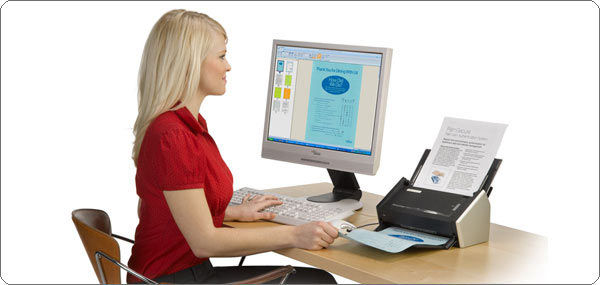
Organisations deploy document and record management solutions for many different reasons. As paper is the physical manifestation of the problem that needs to be addressed, it is not uncommon for people to first look at which scanning device they think they need. In some cases this will be fine since they will just use the scanning software that comes with the scanner, for instance ScanSnap from Fujitsu provides a very unique experience for its users. However, in nearly every case people should first consider what will happen with the images once they are scanned and then look at which scanner is required.
Software Compatibility
There are many Document Management solutions available to the market and many of these are customised for specific industry or functional challenges. Whatever scanner you decide to select it must work with the software you wish to deploy. There are essentially four scanning drivers that have different capability and compatibility, it’s hugely important that you select the correct device for your scanning software. The main scanner drivers are; TWAIN, ISIS, WIA and SANE.
Every scanning software application will support one or more of these scanner drivers and consequently most scanner manufacturers will include some (or all) of these drivers with their scanners. TWAIN and ISIS are the most commonly used for scanning applications but you need to check, if you get this wrong your scanner will not be able to communicate with your document management application.
Be aware, pay special attention to this. Also be aware that many Multi Function Devices do not support Twain or ISIS drivers.
Scanning Volumes and Speed – not quite the same thing!
You really need a scanner that’s capable of scanning the volume of documents that you will address. The scanner element of your solutions will likely only be a very small proportion of the overall cost so it’s really important that you don’t put your whole solution at risk by trying to save some cost here. Another consideration is the whole change management piece, most likely you are going to be changing established working practice and it will be become hugely important to limit the frustration of the users especially if you want to limit the potential of user rejection. These are very important considerations.
There are a few considerations when it comes to scanning volumes. Are there times in the day or month where you have peak volumes? Financial or invoice solutions tend to be focused around the end of the month. Mailroom solutions tend to be focused around a small window at the start of each day.
Are your volumes increasing or decreasing? Always buy a device that can grow into your required use.
Most importantly don’t just look at scanning speeds, some devices might be capable of scanning 40 pages per minute but they are only “recommended” for 2000 or so pages per day. Hardware manufacturers quote daily volumes as an indication of how likely your scanner is to develop a fault should you be close to or exceed these volumes.
Centralised v De-centralised Scanning.
A centralised solution is essentially one or more defined locations with dedicated scanner operators, this would be where all documents are routed for processing. These locations are typically fully optimised for high volumes of documents and will have a strict process for managing the workflow of documents into and through the whole document capture process.
A de-centralised or distributed scanning solution tends to be empower many of the organisation users to scan their own documents into the workflow with a fleet of smaller desk based devices. Organisations need to understand which of these methods they will employ although it is feasible to have a mixed strategy. There are benefits to both scenarios but there is a significant trend towards distributed capture as the trend towards digital working increases.
Document Characteristics and Paper Handling.
Many people will see a document scanner and think about the similarities it has with a printer. They are both devices to manage paper documents and typically we buy them both based on their rated speed or daily volume. They are however fundamentally different devices with very different challenges.
Printers transfer images to brand new unused paper, the paper handling mechanism can be easily optimised since the experience will always be the same. Scanners on the other hand never handle brand new unused paper; the challenge in terms of paper handling is huge. The condition and age of paper that needs to be scanned is hugely variable, typically the documents may have been folded, frayed, damaged or just delicate in age. All of these pages need to be picked, separated and managed through the scanning engine. When you’re printing a batch of documents it will always be one size whereas when you’re scanning a batch of documents your scanner should be able to cope with various sized documents in one pass. These are major challenges.
Paper handling and Image Quality are the main differences between these devices. In terms of paper handling you should be looking for features such as:
Brake Roller Separation. This is generally a more reliable way to ensure that you pick just one page at a time, there are other methods but the brake roller method appears to be most reliable.
Ultra Sonic Double Feed Detection. This is a method to ensure that the scanner only images one page at a time. Consistently measuring the Page Length is another way to do this but is not as reliable. To maintain your batch integrity you should look for a scanner with these features.
Paper Protection: Some manufacturers now use Paper Protection technology to stop the scanner from damaging the document if a paper jam starts to occur.
Some scanners have adjustable input and output trays to ensure the optimal position to support that particular batch.
Make sure you match the document characteristics with the scanner capabilities.
Image Quality
This is important. Turning physical documents into electronic content is only worthwhile if the electronic content is at least as readable as the original. One of the key differences between the scan capability of a Multi-Function Device and a scanner is that the Multi-Function Device are designed to give you a replication of the image whereas professional documents scanners are designed to support the retrieval of the maximum content from the image. Document scanners today offer many integrated image enhancement capabilities.
Some document scanners come bundled with image enhancement software (from people like Kofax with their VRS product) which sits between the scanner driver and the application and other manufacturers (like Fujitsu with their PaperStream technology) come with built in image processing features.

Image Processing will typically clean and enhance the image removing speckles and noise and in many cases correct the image to ensure faint text is darkened and dark shaded areas are removed to reveal content. These clever algorithms ensure that maximum content can be extracted from the image without any manual intervention. Other key features to look out for are colour correction, colour drop out, hole punch removal, colour smoothing and border removal. Optical Character Recognition (OCR) requires good quality images to extract the maximum amount of content.
A cleaned and enhanced image provides the maximum amount of content for the minimum file size.
Size. Does size matter?
Well actually it does, particularly when it comes to distributed capture devices. People already work in tight and confined spaces where there is competition for desk space. Most likely, the user will already have a telephone, PC/Laptop and monitor on their desk so really you need to be paying attention to their space. You need the right device for the job but you do not want to intimidate new users. Luckily, scanning technology has gone through a revolution in recent years and the capability of desktop devices is now truly outstanding. If you take a scanner like the fi-7180 from Fujitsu you can achieve speeds of 80 pages per minute with a device not much bigger than a telephone.
When it comes to size the Japanese manufacturers are certainly at the top of the game.
Ease of use.
They have to be easy to use. Remember most users have a day job and scanning has just become part of it. Make sure you choose a device that is not only ergonomic but also is operator friendly. They should be easy to clean the user should be able to change the rollers themselves and ideally have software that supports the creation of scanning profiles. A scanning profile is a pre-determined set of characteristics that are deemed to be the most appropriate for that particular function.
Another consideration is error handling. What happens if there is a paper jam or if for some reason the image is skewed? Ideally, the user will be able to easily correct these issues and carry on with their activity.
Scanning documents can often become a critical part of a business process. The process of scanning needs to integrated into knowledge workers function.
If you want to achieve user acceptance for this new working condition that scanner must be both easy to use and maintain.
These are just some of the things that you need to consider before you purchase a document scanner. Converting paper documents into electronic format and using the extracted content to drive your processes can be a very effective way of driving productivity, becoming more efficient and providing enhanced customer experiences. Choosing the right scanner for the job will be a critical to the success of your project.


Comments